
Smart Forms + Workflow for Banking and Financial Services
Electronic forms and automated approval workflows built for the compliance, accuracy, and speed that banking demands.

The Banking forms problem
Illegible handwriting and missing data


Slow, opaque approval chains
Manual data entry and imaging


Lost documents and compliance risk
How Smart Forms + Workflow solves it
Accelerate migration with AI-powered form creation
Banks often have dozens or hundreds of existing paper forms. Rebuilding each one manually would take months. Smart Forms includes an AI assistant that converts existing PDF forms into working digital smart forms in minutes — powered by Anthropic Claude and OpenAI GPT. Upload a deposit application PDF, and the AI generates the digital version with appropriate field types, validation rules, and layout. You refine it in the drag-and-drop builder, add database lookups and conditional logic, and publish. What would have taken days takes hours.


Enforce every business rule at submission
Smart Forms validates data in real time as the account officer fills out the application. Required fields cannot be skipped. Date validation enforces backdating rules automatically
— for example, allowing backdating to the first of the previous month only within three business days of month-end. Currency selection triggers conditional logic: if a Cayman branch is selected, a disclosure dialog appears confirming the deposit is not FDIC insured. APY values are looked up from rate tables rather than entered manually, and custom rates that exceed standard-plus-discretionary thresholds are flagged for additional Treasury approval.
The result: every submission arrives complete, correct, and policy-compliant. No illegible handwriting. No missing data. No round-trips to the front office.
Route approvals automatically with conditional logic
Once submitted, the application enters an automated workflow. Standard applications route from the account officer’s submission to department approval and then to operations for processing. Applications involving foreign currency or custom APY rates automatically route to Treasury for additional sign-off before proceeding. If source and destination accounts differ, the form routes to a designated manager approver.
Each step in the workflow is configurable with events, conditions, and actions — all set up visually by the workflow administrator without coding. Approvers receive email notifications and can approve, reject, reassign, or comment from their web browser.


Auto-populate from Salesforce and core banking systems
Smart Forms Data Lookups connect to Salesforce and any SQL database to pull client information directly into the form. GCIF, account title, charge account numbers, and rate table values auto-populate from your systems of record. Cascading lookups let one selection filter the next — for example, selecting a client filters their available accounts. The account officer selects from real data instead of typing — eliminating transcription errors and ensuring the form matches what’s in your systems. Data can also flow to external systems via REST API.
Deliver records to AppEnhancer automatically
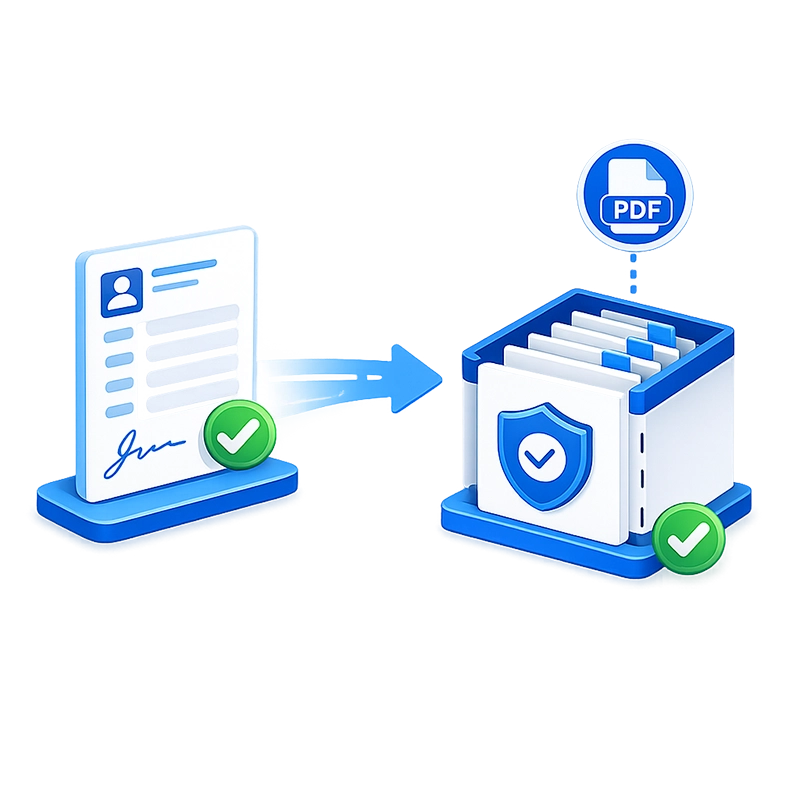
When the workflow reaches completion, Smart Forms generates a PDF rendering of the approved application and exports it — along with all indexed metadata (GCIF, account title, effective date, investment amount, currency, APY, maturity date, and every other required field) — directly to AppEnhancer (AppXtender). No manual scanning. No manual indexing. No manual data entry. The record is filed and retrievable in seconds.
For institutions using Easyfile or a SQL database as their records repository, Smart Forms supports those export targets as well. REST API connectivity enables delivery to additional external systems.

Track volume, bottlenecks, and trends with built-in analytics
Smart Forms includes built-in dashboards that show submission volumes, completion rates, processing times, and approval bottlenecks in real time — without exporting data. Operations managers can see which applications are pending, which approvers are creating delays, and how volume trends over time. No separate reporting tool required.
Complete audit trail for examiners
Every action is logged automatically: who submitted the application, when each approver acted, what decision was made, what comments were added, and any system-generated events (such as conditional Treasury routing). This audit trail is attached to the record in AppXtender and can be produced immediately for examiner review — no binder assembly, no reconstructing the chain of custody.

Why Banking Organizations choose Smart Forms
AI-powered migration from paper
Upload existing PDF forms and the AI converts them to working smart forms in minutes. No need to rebuild every form from scratch.
Unlimited licensing
No per-user fees, no submission caps. Deploy across every branch, every department, every role without cost penalties.
Examiner-ready compliance
Every submission, approval, rejection, and comment is logged with a timestamp and user identity. Audit history is attached directly to the record in your DMS. When examiners ask for documentation, it’s available in seconds — not days.
Elimination of paper-form errors
Required fields, format validation, conditional logic, and database lookups ensure every submission arrives complete and correct. No illegible handwriting, no missing data, no incorrect entries.
Same-day approvals
Automated routing with email notifications replaces multi-day paper approval cycles. Conditional escalation ensures the right people review the right items without manual intervention.
Two-way integration with your systems
Pull data from Salesforce, core banking, and rate management systems. Push approved data to AppEnhancer (AppXtender), Easyfile, or any SQL database via direct export or REST API. No manual re-keying.
Built-in analytics
Track submission volumes, approval times, and bottlenecks in real time without exporting data.
Secure authentication
SSO through Microsoft Entra ID, Okta, Active Directory, or SAML 2.0 ensures every action is tied to a verified user identity. Role-based access and document-level security control who sees what.
SaaS or on-premises — your choice
Deploy as a cloud-hosted SaaS solution for fast rollout, or on-premises within your own infrastructure for full data sovereignty and compliance control. Both options deliver the same feature set.
No IT dependency
The visual form builder and workflow designer let operations and compliance teams build and modify forms and workflows without developer involvement.
Case study: Regional bank digitizes deposit applications

Before Smart Forms:

After Smart Forms + Workflow:
The electronic TD application enforces every business rule at the point of entry: required fields, date validation with automatic backdating rules, currency selection with conditional Treasury routing, APY table lookups with rate verification at submission, and account data auto-populated from Salesforce. Supporting documents are uploaded and attached to the digital record.
Submitted applications route automatically through department approval and — when foreign currency or custom APY is involved — to Treasury for additional sign-off. Upon final approval, the application and a PDF rendering export directly to AppXtender, fully indexed with GCIF, account title, effective date, investment amount, currency, APY, maturity date, and all other required fields.

Results:
Processing time reduced dramatically. Every submission arrives complete and correct on the first attempt. Multi-day approval cycles collapsed to same-day processing. The complete audit trail is attached to every record, ready for examiner review at any time.
Frequently asked questions
Can Smart Forms enforce banking-specific date and rate rules?
Does the workflow support conditional routing to Treasury?
How does Smart Forms integrate with Salesforce?
Can completed applications export directly to AppXtender?
Is the system available as SaaS for banks that want cloud deployment?
How does this help during regulatory examinations?
Ready to Revolutionize Your Banking Process?